Comparison with pybrid
Pybrid (pybrid-computing) is the reference implementation for a LUCIDAC client. Development of this code was started around 2022/23 and it implements a sophisticated and future-pointing programming style with high levels of abstraction, asyncs, context managers, etc. Already early in development, pybrid put a focus on versioning and dependency managament.
Pybrid was intended as a code to manage different kinds of analog computers from the beginning. The code was not only supposed to be be the reference client for a novel version of the Model-1 firmware but also for the hierarchical and digital-distributed REDAC computer. It has to be stressed that the hardware design for the REDAC was in active development at the same time pybrid was designed.
Review of pybrid
This section shall quickly review pybrid from a user perspective. For more documentation, see for instance the pybrid documentation. Pybrid has three major modes of operation:
The click based command line interface which can also serve as a small mini DSL for configuration “scripts”
A framework like variant (somewhat similar to Django) where one defines a class that derives from
RunEvaluateReconfigureLoopwith various callbacks. This has to be called from the command line as auser-program.Actual library API access which is fully asynchronous and allows to set up all neccessary classes on its own.
CLI
The command line interface (CLI) for the operating system shell looks roughly like this:
me@ulm-primary:~/lucidac/hybrid-controller$ pybrid --help
Usage: pybrid [OPTIONS] COMMAND [ARGS]...

Entrypoint for all functions in the pybrid command line tool.

Additional :code:`pybrid-computing` packages hook new subcommands into this
entrypoint. Please see their documentation for additional available
commands.

Options:
--log-level [CRITICAL|ERROR|WARNING|INFO|DEBUG]
                                Set all 'pybrid' loggers to the passed
                                level.
--help                          Show this message and exit.

Commands:
redac  Entrypoint for all REDAC commands.
The idea is that the code can support different machines. There used to be a modelone variant but now the redac argument as first argument is obligatory. Then the options are
$ pybrid redac --help
Usage: pybrid redac [OPTIONS] COMMAND [ARGS]...

Entrypoint for all REDAC commands.

Use :code:`pybrid redac --help` to list all available sub-commands.

Options:
-h, --host TEXT       Network name or address of the REDAC.
-p, --port INTEGER    Network port of the REDAC.
--reset / --no-reset  Whether to reset the REDAC after connecting.
                        [default: reset]
--help                Show this message and exit.

Commands:
display             Display the hardware structure of the REDAC.
get-entity-config   Get the configuration of an entity.
hack                Collects 'hack' commands, for development purposes...
reset               Reset the REDAC to initial configuration.
route               Route a signal on one cluster from one output of...
run                 Start a run (computation) and wait until it is...
set-alias           Define an alias for a path in an interactive...
set-connection      Set one or multiple connections in a U-Block or...
set-daq             Configure data acquisition of subsequent run commands.
set-element-config  Set one ATTRIBUTE to VALUE of the configuration of...
shell               Start an interactive shell and/or execute a REDAC...
user-program
There is no further explorable help available on the command line.
Here is a usage example to run a harmonic oscillator:
# sinusoidal.txt
# A script for the command line interface,
# configuring a carrier board to calculate a harmonic oscillator.

# Set alias for carrier
set-alias * carrier

# Configure routing on cluster
route -- carrier/0 8 0 -1.0 9
route -- carrier/0 9 1  1.0 8

# Configure initial condition
set-element-config carrier/0/M0/0 ic 0.42

# Configure data acquistion for two channels and 100000 samples/second
set-daq -n 2 -r 100000

# Start run and save data
run --op-time 2560000 --output sinusodial.dat
It is started with
pybrid redac -h redac.lan shell -x sinusoidal.txt
gnuplot -p -e 'plot "sinusoidal.dat" u ($1/10):2 w l, "" u ($1/10):3 w l'
Note
The CLI executable was renamed from anabrid to pybrid when the code was
renamed from pyanabrid to pybrid-computing
Framework
The same example in the framework usage mode was written as
import matplotlib.pyplot as plt

from pyanabrid.base.hybrid.programs import SimpleRun
from pyanabrid.redac import REDAC, Run, RunConfig, DAQConfig


class UserProgram(SimpleRun):
    # Shortcut to configure run
    RUN_CONFIG = RunConfig(op_time=2_560_000)
    DAQ_CONFIG = DAQConfig(num_channels=2, sample_rate=100_000)

    def set_configuration(self, run: Run, computer: REDAC):
        # Reference to first cluster on first carrier board
        cluster = computer.carriers[0].clusters[0]

        # Configure harmonic oscillator
        cluster.route(8, 0, -1.0, 9)
        cluster.route(9, 1, 1.0, 8)
        # Configure initial value
        cluster.m0block.elements[0].ic = 0.42

    def run_done(self, run: Run):
        # This function is called once the run is done
        if run.data:
            t = [t_/10 for t_ in run.data.pop("t")]
            for channel in run.data.values():
                plt.plot(t, channel)
            plt.ylabel("Amplitude x")
            plt.xlabel("'Time' t")
            plt.show()
        self.print("Done.")
This file had to be invoked with
anabrid redac -h redac.lan user-program sinusodial.py
Note the typical inversion of control concept of frameworks which gives very little flexibility to change control flow but also dramatically reduces the boilerplate code at the same time. Compare this to the next section (library design pattern).
Library
The same problem could be written in an explicit way:
import asyncio
import logging

from matplotlib import pyplot as plt
from pyanabrid.base.utils.logging import set_pyanabrid_logging_level
from pyanabrid.base.transport.network import TCPTransport
from pyanabrid.redac import Protocol, Controller, DAQConfig, RunConfig

# For development purposes, set all logging to DEBUG
logging.basicConfig()
set_pyanabrid_logging_level(logging.DEBUG)

# Network information of REDAC
REDAC_HOST = 'redac.lan'
REDAC_PORT = 5732


async def main():
    # Create a transport, which handles the underlying network connection.
    transport = await TCPTransport.create(REDAC_HOST, REDAC_PORT)
    # Create a protocol, which handles the message.
    protocol = await Protocol.create(transport)
    # Create a controller, which uses the protocol to execute commands.
    controller = await Controller.create(protocol)
    # Reference for run.
    run = None

    # The controller needs to run through an initialization
    # and de-initialization procedure.
    # To ensure both, it can be used as an async context manager.
    async with controller:
        # First things first, reset the analog computer.
        await controller.reset()

        # The controller detects the elements of the analog computer.
        computer = controller.computer

        # Get a reference to the first cluster on the first carrier.
        cluster = computer.carriers[0].clusters[0]

        # Configure harmonic oscillator on the cluster.
        cluster.route(8, 0, -1.0, 9)
        cluster.route(9, 1, 1.0, 8)
        # Configure initial value.
        cluster.m0block.elements[0].ic = 0.42

        # Upload the changed configuration to the analog computer.
        await controller.set_computer(computer)

        # Create a run and configure it.
        run_config = RunConfig(op_time=2_560_000)
        daq_config = DAQConfig(num_channels=2, sample_rate=100_000)
        run = await controller.create_run(config=run_config, daq=daq_config)

        # Start a run and wait for its result.
        # You can use non-blocking calls and do other work in parallel.
        await controller.start_and_await_run(run)

    # Since we only have one run (calculation), we are done.
    # By exiting the with statement, protocol communication is stopped.

    # Plot data.
    t = [t_ / 10 for t_ in run.data.pop("t")]
    for channel in run.data.values():
        plt.plot(t, channel)
    plt.ylabel("Amplitude x")
    plt.xlabel("'Time' t")
    plt.show()

asyncio.run(main())
Note how all code has to be written within an async main method (only IPython
allows to call asynchronous functions directly from the prompt, not ordinary Python).
Also note the usage of the controller class in the context manager.
Developing the opposite of pybrid
Lucipy was intentionally designed as a contradiction to pybrid. During the development, it was actively explored which short-cuts and design variants can be chosen in order to find simple solutions to tasks pybrid tries to solve. Therefore, literally every principle is reversed:
- No dependencies
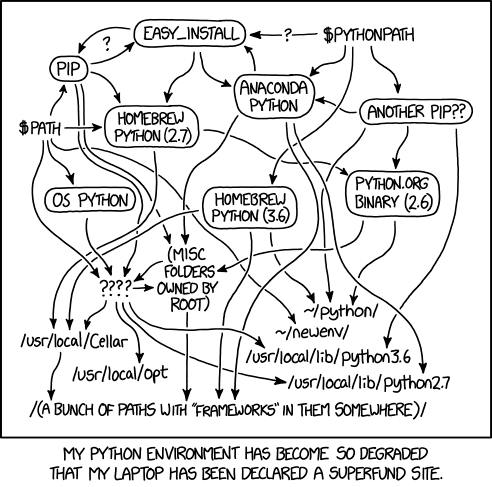
Dependency hell was the major blocker for most of the team to get started with pybrid. The dependencies were so fragile that even upgrades could quickly lead to no way out when some third-party dependency did not succeed to compile. But what is this all for? Python already provides everything included to connect to a TCP/IP target. Therefore, allow users to getting started without dependencies and import them only when needed, for doing the “fancy” things.
- No typing
There is little advantage of having a loosely typed server (firmware without typed JSON mapping) but a strongly typed client (pybrid with pydantic), hosted in a loosely typed language such as Python. It also reduces development speed when the protocol itself is in change. So for the time being, lucipy does not provide any assistance on correctly typed protocol messages. Instead, it intentionally makes it easy to write any kind of messages to the microcontroller.
- No async co-routines
My personal preference is that async gives a terrible programmer’s experience (I wrote about it: python co-routines considered bad). It is also premature optimization for some future-pointing high performance message broker which does single-threaded work while asynchronously communicating with the REDAC. So let’s get back to the start and work synchronously, which dramatically reduces the mental load.
- Not a framework
My personal preference between frameworks and libraries are always libraries. Frameworks dramatically reduce the freedom of implementing near ideas. One of the three modes of operation of pybrid is the one of a framework. Lucipy skips this step. Pybrid provides an hard to use async library, instead lucipy tries to provide an as simple as possible sync library.
- Not a CLI
Python is not a good language for command line interfaces (CLIs). Python dependency managament is a nightmare (see above) and we frequently had the situation that the code seems to be installed fine but the CLI was not working at all. Pybrid did not even provide findable entry points such as
python -m pybrid.foo.bar.baz -- --help.- Do not copy pybrid
In the end, pybrid is working for some people and we don’t want to break their workflows or develop an in-house concurrency. Therefore, lucipy tries to be orthogonal in terms of features. Pybrid provides an CLI and lucipy does not.
- Focus on scientific python environments
The primary reason we are working with Python is because the audience of scientists are working with Python. This is also the reason why we provided LUCIDAC clients for the Julia Programming Language and Matlab but for instance not Perl or Java. However, scientists are typically not the best programmers. They use python because core python has a dead simple syntax. Lucipy tries to be a good citizen in the notebook-centric way of using scientific python.
- Do not implement a compiler
We have a number of ongoing projects for implementing a world class differential equations compiler for LUCIDAC/REDAC. At the same time there is an urgent need for programming LUCIDAC in a less cryptic way then
route -- 8 0 -1.25 8. Therefore, the lucipyCircuitclass and friends tries to provide as few code as possible to make this more comfortable, without implementing too many logic.- Focus only LUCIDAC
Lucipy is only a code for the LUCIDAC. Since the design of the LUCIDAC is so much simpler then the design of the REDAC, it also allows the client code to be dramatically simpler.
- Be user friendly at heart
Lucipy was developed in a time when LUCIDAC was shortly before being released. At this time, a lot of focus was put on making the device user friendly. This is the reason why for instance the connection to a LUCIDAC can be made by simply typing
LUCIDAC(). This also makes demo codes very slick and reduces boilerplates to two lines (the import and the class construction).- As little code as needed
Lucipy is 20 times smaller then pybrid (4 files instead of 80, 800SLOC instead of 16,000).
On the design of Lucipy
Lucipy is used with a single import statement and then provides a handful of classes:
% python
Python 3.12.3 (main, Apr 23 2024, 09:16:07) [GCC 13.2.1 20240417] on linux
Type "help", "copyright", "credits" or "license" for more information.
>>> import lucipy
>>> lucipy.  [TAB TAB]
lucipy.Circuit(     lucipy.Endpoint(    lucipy.Route(       lucipy.detect(
lucipy.Connection(  lucipy.LUCIDAC(     lucipy.circuits     lucipy.synchc
The guiding principle is that the user does not have to write from lucipy.foo.bar.baz import Bla.
The worst happening is from lucipy.foo import Bla but it should really be from lucipy import Bla.
Here is a demonstration how to use it from the python REPL:
shell> python
> from lucipy import LUCIDAC
> hc = LUCIDAC("192.168.68.60")
INFO:simplehc:Connecting to TCP 192.168.68.60:5732...
> hc.query("status")
{'dist': {'OEM': 'anabrid',
'OEM_MODEL_NAME': 'LUCIDAC',
'OEM_HARDWARE_REVISION': 'LUCIDAC-v1.2.3',
'BUILD_SYSTEM_NAME': 'pio',
'BUILD_SYSTEM_BOARD': 'teensy41',
'BUILD_SYSTEM_BOARD_MCU': 'imxrt1062',
'BUILD_SYSTEM_BOARD_F_CPU': '600000000',
'BUILD_SYSTEM_BUILD_TYPE': 'release',
'BUILD_SYSTEM_UPLOAD_PROTOCOL': 'teensy-cli',
'BUILD_FLAGS': '-DANABRID_DEBUG_INIT -DANABRID_UNSAFE_INTERNET -DANABRID_ENABLE_GLOBAL_PLUGIN_LOADER',
'DEVICE_SERIAL_NUMBER': '123',
'SENSITIVE_FIELDS': 'DEVICE_SERIAL_UUID DEVICE_SERIAL_REGISTRATION_LINK DEFAULT_ADMIN_PASSWORD',
'FIRMWARE_VERSION': '0.0.0+g0d3e361',
'FIRMWARE_DATE': 'unavailable',
'PROTOCOL_VERSION': '0.0.1',
'PROTOCOL_DATE': 'unavailable'},
'flashimage': {'size': 316416,
'sha256sum': 'cd2f35648aba6a95dc1b32f88a0e3bf36346a5dc1977acbe6edbd2cdf42432d3'},
'auth': {'enabled': False, 'users': []},
'ethernet': {'interfaceStatus': True,
'mac': '04-E9-E5-0D-CB-93',
'ip': {'local': [192, 168, 68, 60],
   'broadcast': [192, 168, 68, 255],
   'gateway': [192, 168, 68, 1]},
'dhcp': {'active': True, 'enabled': True},
'link': {'state': True,
   'speed': 100,
   'isCrossover': True,
   'isFullDuplex': True}}}
>